
Cybersecurity Awareness
Pause. Check. Protect what matters.
Practical ways to spot digital risks and protect the accounts, money and information you rely on.
Three habits worth keeping.
Pause before you act.
An urgent message is a reason to check. Before sending money, opening a link or sharing information, take a moment to verify the request.
Verify through a trusted channel.
Use a contact number or official app you already trust. If a request seems suspicious, do not rely on the link or number inside that message.
Protect access to your accounts.
Use a different password for each account, enable multi-factor authentication where available and keep your devices updated.
Everyday situations. Practical next steps.
Explore guidance on the situations below. Open any visual for a closer look.
Payments and verification
A payment you don't recognise
Contact your payment provider through its official support channels, such as its official app, rather than a number or link in a message. Keep your receipt and transaction details for your records.
Read the text of this poster
Headline: See a payment you don't recognise? Act through the provider.
The poster shows a phone listing recent transactions, with one payment sent to a service highlighted. Beside it are a transaction receipt, marked “Keep your receipt for your records”, and a card titled “Official Support Channels”. The card lists customer support by phone, in-app support through the official app, and email support.
The names, amounts and contact details shown are examples only. Use your own provider's official details.
Accounts and access
Private notes aren't private storage
A notebook or a loose scrap of paper can be read by anyone who picks it up. Keep passwords somewhere protected, such as a password manager, rather than in plain sight.
Read the text of this poster
Headline: Private notes aren't private storage. Move passwords out of plain sight.
An open notebook, a pen and a torn page sit on a desk beside a laptop and a cup of coffee.
Length has a purpose
A long password made from several unrelated words is harder to guess than a short one. Use a different password for every account, and choose your own words rather than the examples shown.
Read the text of this poster
Headline: Length has a purpose. Make it long. Make it unique.
A short strip of paper with five dots, standing for a short password, sits beside a longer strip carrying four words: sunrise, river, basket and breeze.
Your backup identity matters
Check that the recovery email address and phone number on your accounts are current, so recovery messages reach you and not someone else.
Read the text of this poster
Headline: Your backup identity matters. Review recovery details now.
A laptop screen shows a Recovery details page with a recovery email and a recovery phone. Beside it, one card is labelled Old and another Current, each with an email address and a phone number. A notebook checklist reads “Check recovery email” and “Check recovery phone”.
The addresses and numbers on the cards are examples only.
Devices and everyday work
Default is not personal
A router or device that still uses the credentials it came with is easier to get into. When you set one up, change the Wi-Fi password and the admin login to ones only you know.
Read the text of this poster
Headline: Default is not personal. Change setup credentials.
A Quick Setup card lists four hidden fields: Wi-Fi name (SSID), Wi-Fi password, admin username and admin password. It sits beside a wireless router and its box.
How many tools hold your data?
List each tool that holds customer, financial or staff information, and the teams that use it. A written map makes it easier to see who has access to what.
Read the text of this poster
Headline: How many tools hold your data? Map them.
A cork noticeboard shows six tools on white notes: Mail Hub, Task Flow, File Box, Client Notes, Invoice Desk and Team Chat. String links them to five team notes: Sales, Finance, Operations, Support and HR. The tool names are examples.
Think something has gone wrong?
Stop interacting with the suspicious message or request. If money is involved, contact your bank or payment provider promptly through an official channel. For a work account or device, notify your IT or security contact. Keep relevant messages and transaction details, and avoid sharing sensitive information publicly.
Events we've attended
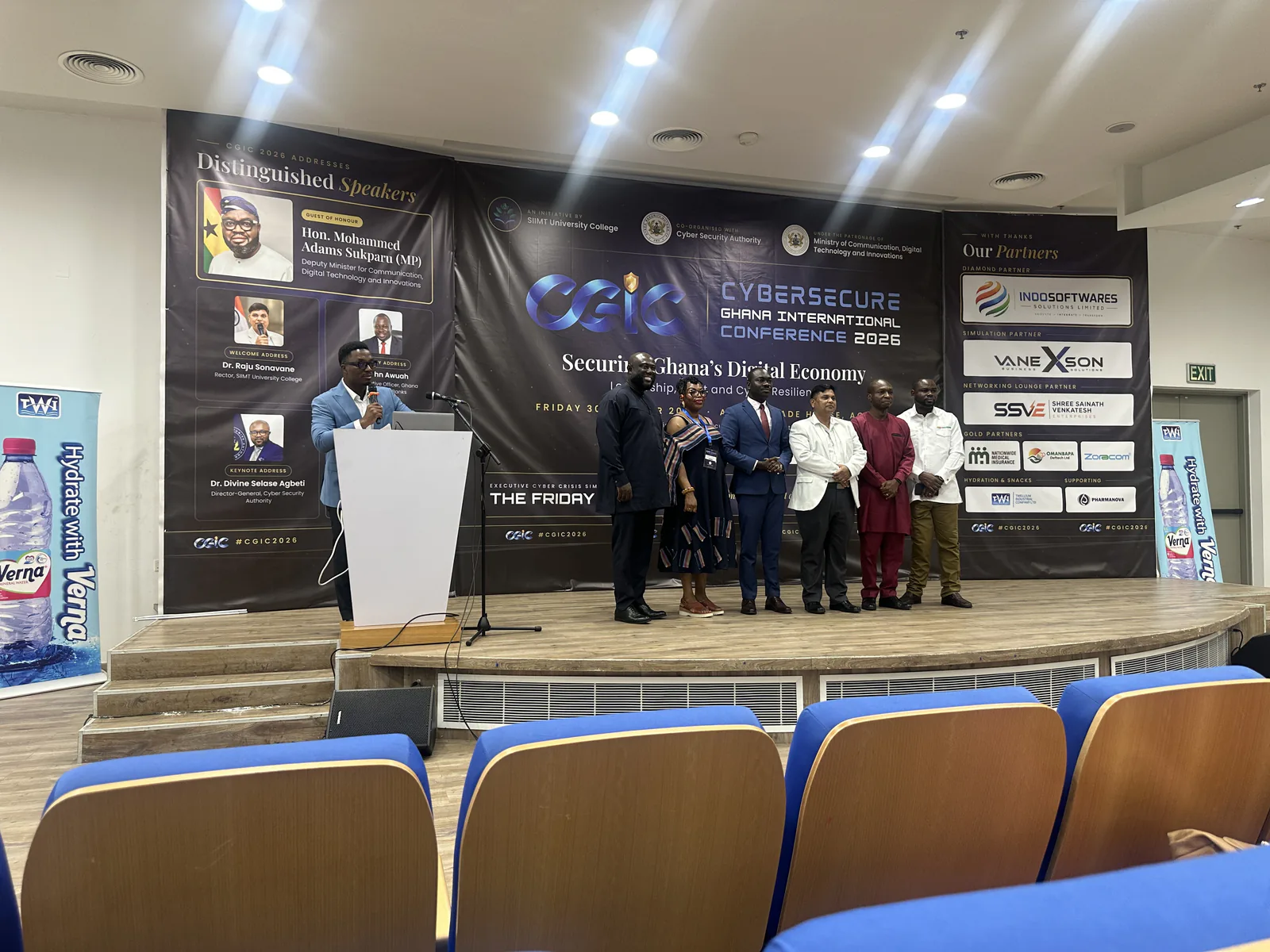
At the Cybersecure Ghana International Conference (CGIC) 2026, Accra, 30 October 2026.
Make safer working habits part of your organisation.
Talk to Digital Point about reviewing access, strengthening everyday security practices and identifying practical improvements.
Published by Digital Point for general awareness. This page is not an incident-reporting service.